EARLY ACCESS · LIMITED PRICING

Close the tabs.
Open your HomeRoom.

One calm dashboard for everything you reach for between recess and read-aloud. Timers, schedules, groupings, lesson plans, all in one place.

No student logins Your data stays yours One-time purchase
HomeRoom dashboard
Math sprint
4:32
Groups of 3
Shuffled ✨
Today's target
Identify prefixes and suffixes
Built by a teacher in Halifax, Nova Scotia
COPPA ready FERPA ready Works offline Built by a teacher
CUSTOM LAYOUTS

Your classroom,
your way.

Drag, drop, resize. Build a Math Morning scene and a Silent Reading scene and switch between them in seconds. The whiteboard finally bends to you.

  • Unlimited custom layouts, saved as scenes
  • Drag, drop, resize any widget
  • One-click scene switching mid-class
Try the dashboard
Custom layout
Save unlimited scenes
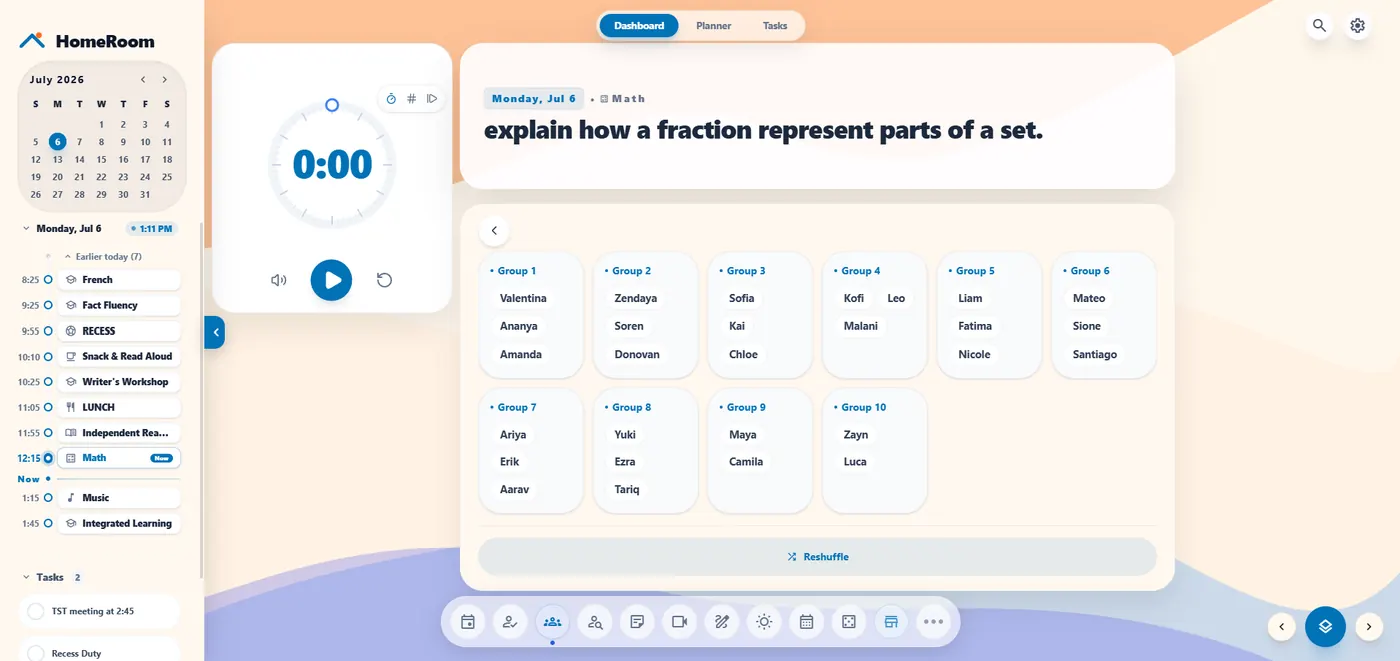
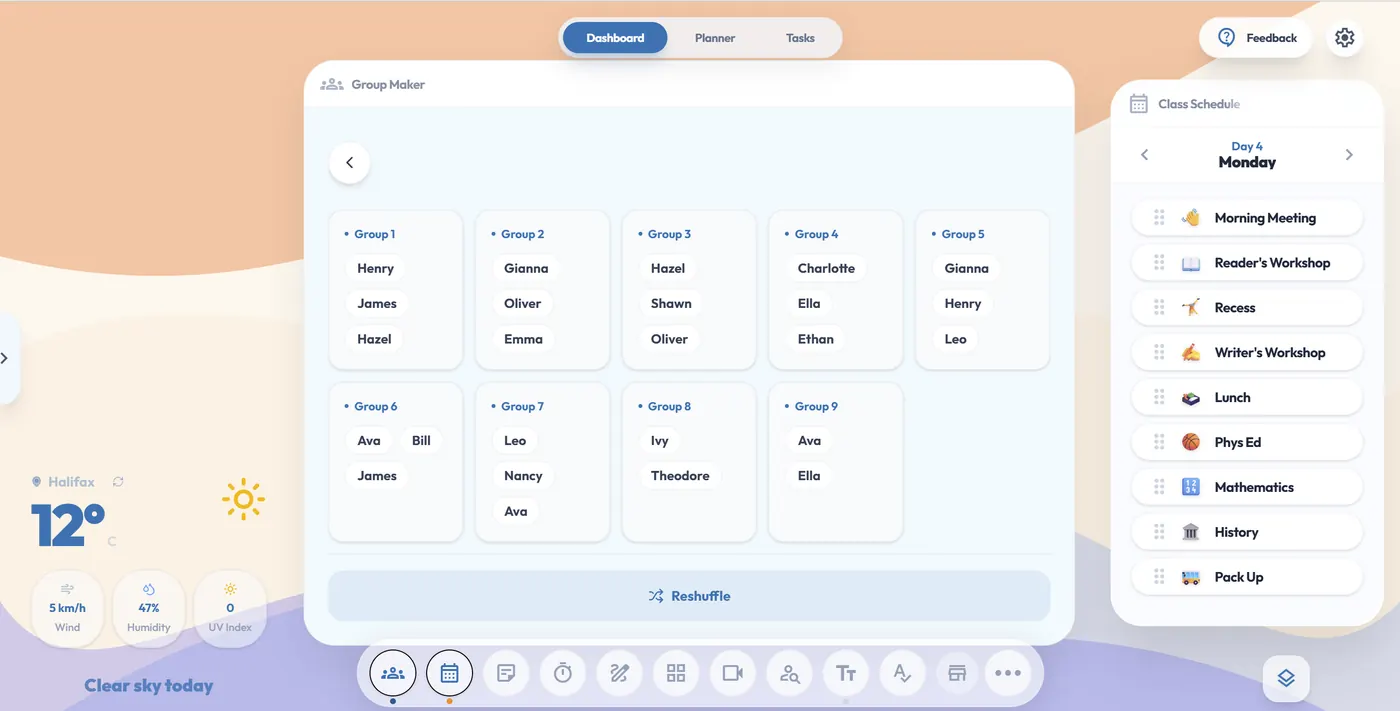
Group Maker
Visibly random
GROUPS & SEATING

No more
"that's not fair."

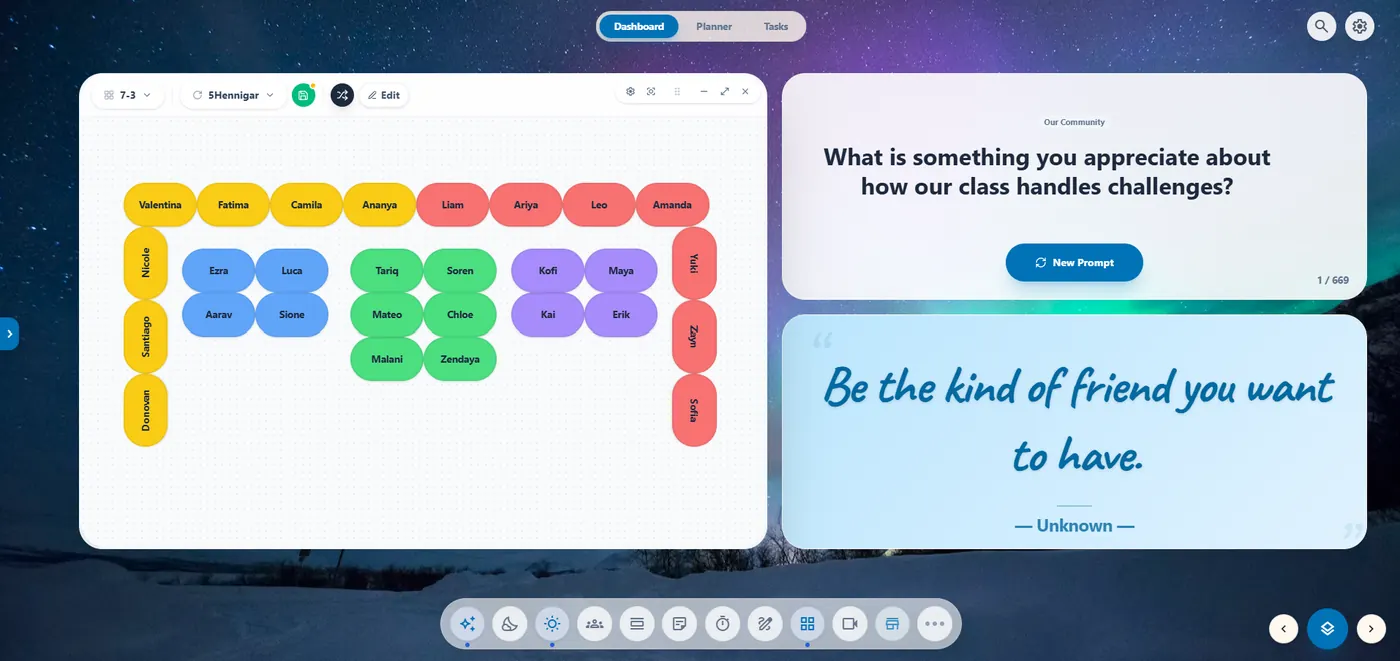
Generate visibly random groups or a fresh seating chart with one tap. Pair it with a Building Thinking Classrooms practice and watch the room calm down on its own.

  • Random groups of any size
  • Drag-to-arrange seating charts
  • Pairing history so you can mix it up
Try grouping
PLANNER + TARGETS

Plan your week.
Hit your targets.

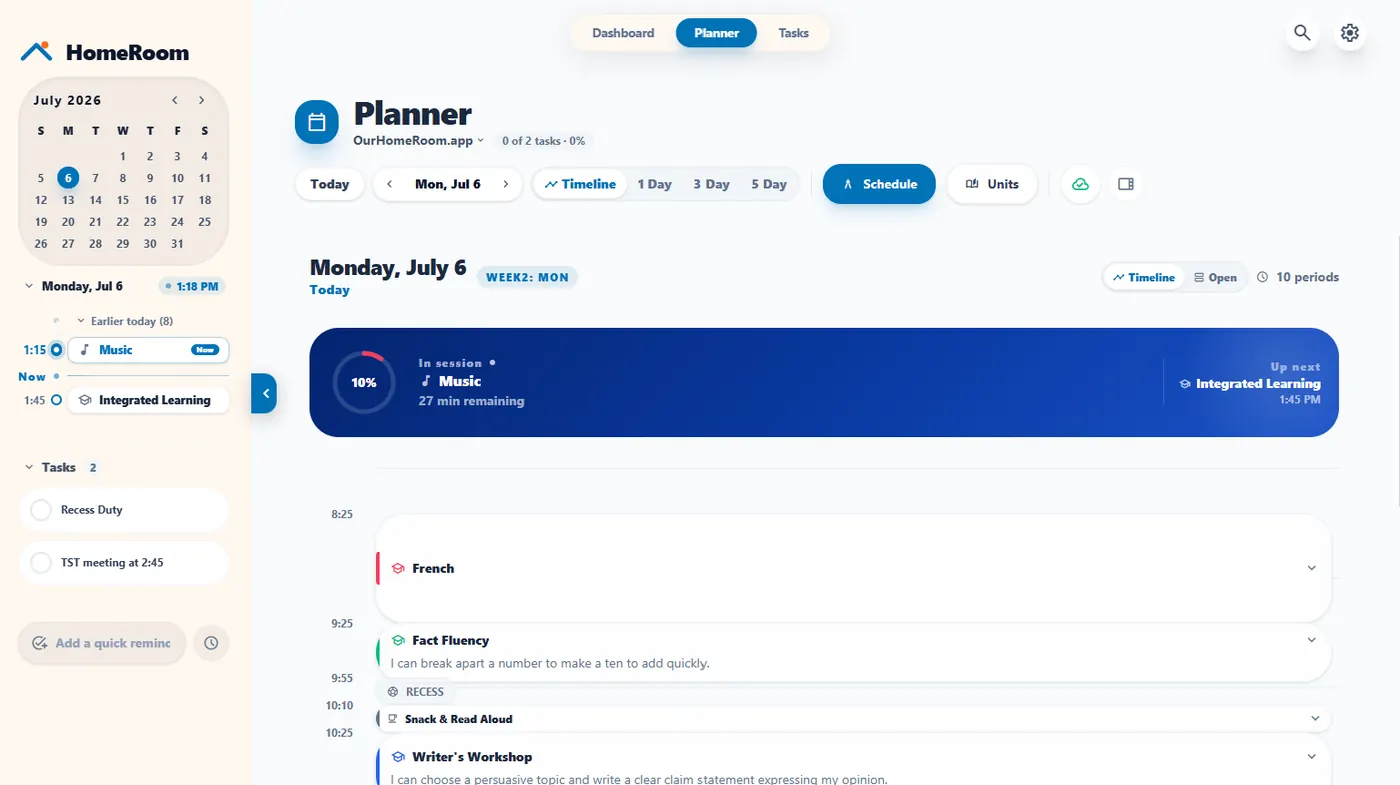
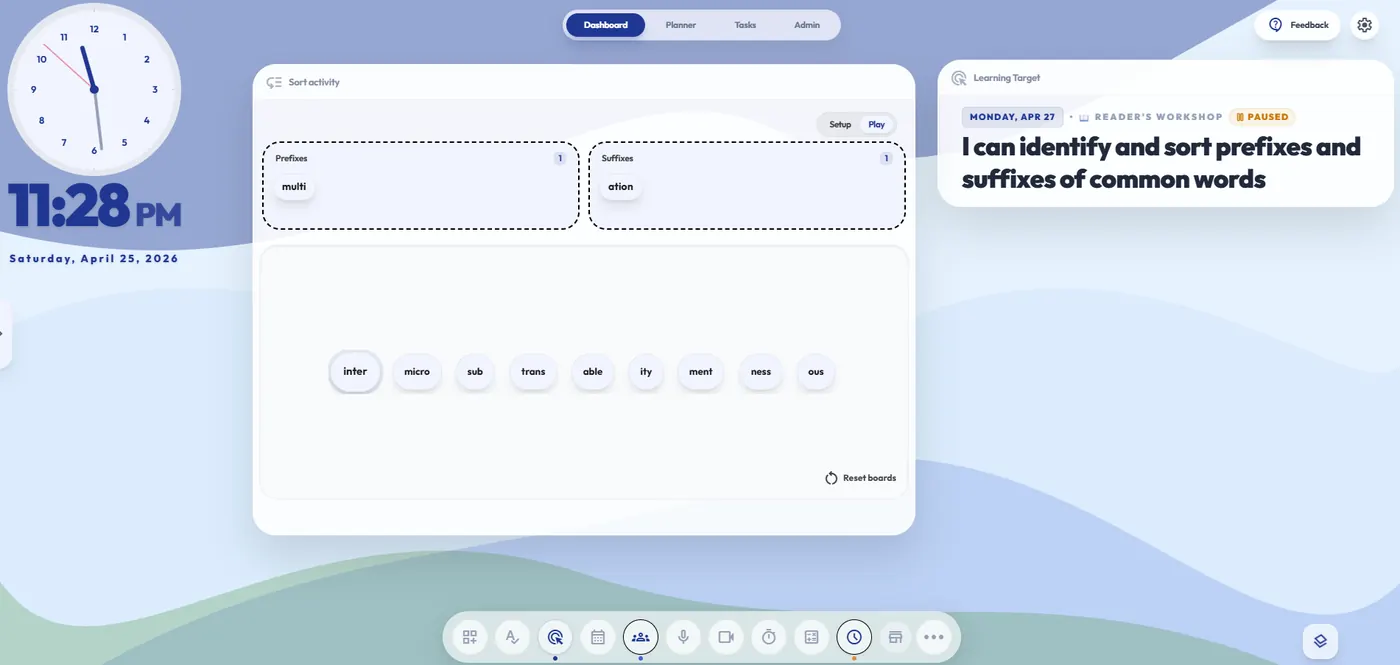
Use HomeRoom as your daily lesson planner. Learning targets auto-appear on the dashboard through the Learning Target widget. You and your students stay on the same page, literally.

  • Weekly and 5-day planner views
  • Auto-synced learning targets to the board
  • Architect: AI-assisted lesson scaffolds
Open the planner
Planner
Architect mode
Visual Day
Clear sky today
THE VISUAL DAY

A schedule kids
can actually follow.

Transition cues and timers, side by side. Embed Slides, Canva, or video. Whatever you teach with, drop it into one beautiful, visual day.

  • Transition timers and visual cues
  • Embed Slides, Canva, video, anything
  • Weather and clock built in
See it in action
Tuesday · 8:15 to 3:30

A school day in your HomeRoom.

Six moments. One dashboard. Zero second-guessing where anything lives.

8:15 AM
☀️
Soft start
Coffee in hand. Today's targets and visual schedule already on the board.
Learning Target
8:45 AM
👋
Morning meeting
Spin a prompt from 400+ creative discussion starters. Five minutes, zero scrambling.
Morning Meeting
10:15 AM
🧠
Math workshop
Shuffle groups of 3. Drop a 10-minute timer on the board. Sprint begins.
Timer + Groups
11:30 AM
📖
Reader's workshop
Mini-lesson slides embedded. Noise meter on the wall. Sticky note for tomorrow's hook.
Website Viewer + Noise
1:15 PM
🎯
Science centres
Visibly random groups, station timer, card sort board ready for vocab review.
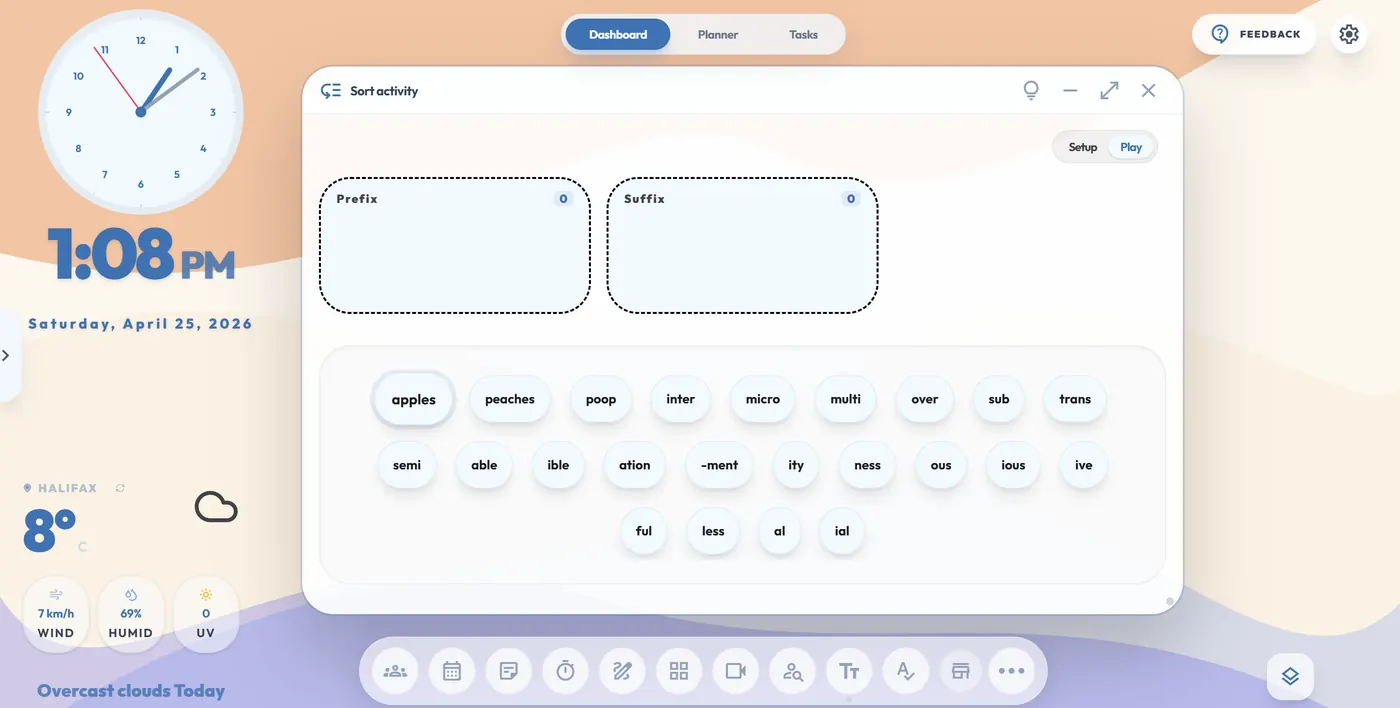
Card Sort
3:15 PM
🚌
Pack up
Tomorrow's planner already scaffolded by Architect. Lock dashboard. Coffee II.
Planner
30+ widgets, always growing

The toolbar you've been
building in your head.

Every tool you currently grab from a different website, now living in one tab. Pin your favourites. Suggest new ones. We're listening.

Timers

Visual pie · countdown · stopwatch
4:32Math sprint
Pin your three favourite presets to the toolbar. Visual feedback your back-row reader can see.

Group Maker

Visibly random groups in one click
Group 1
Hazel
Ivy
Leo
Group 2
Theo
Ava
Bill
Group 3
Emma
Henry
Nan
Group 4
Oliver
Gianna
Group 5
James
Charlotte
Group 6
Ethan
Shawn
Building Thinking Classrooms-ready. Set rules, hit shuffle, the room redistributes in three seconds.

Learning Target

Today's goal on display

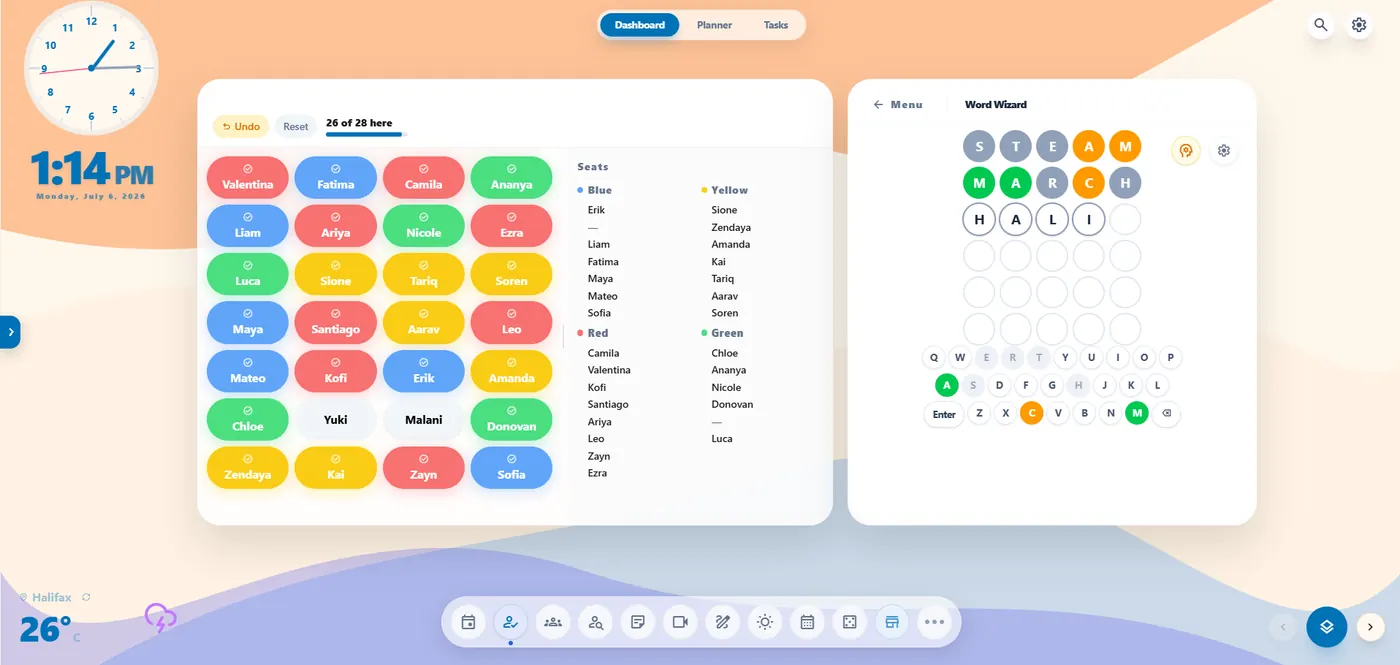
Seating Chart

Interactive layout

Class Schedule

Day in one strip

Clock & Date

Draggable analog

Sticky Note

Rich text + checklist

Noise Meter

Volume in real time

Whiteboard

Collaborative canvas

Calculator

Basic + scientific

Literacy Games

Word + letter logic

Webcam

Mirrored feed

Dice Roller

Multi-sided dice

Name Picker

Fair student selector

Text

Big background text

Card Sort

Drag-to-sort boards

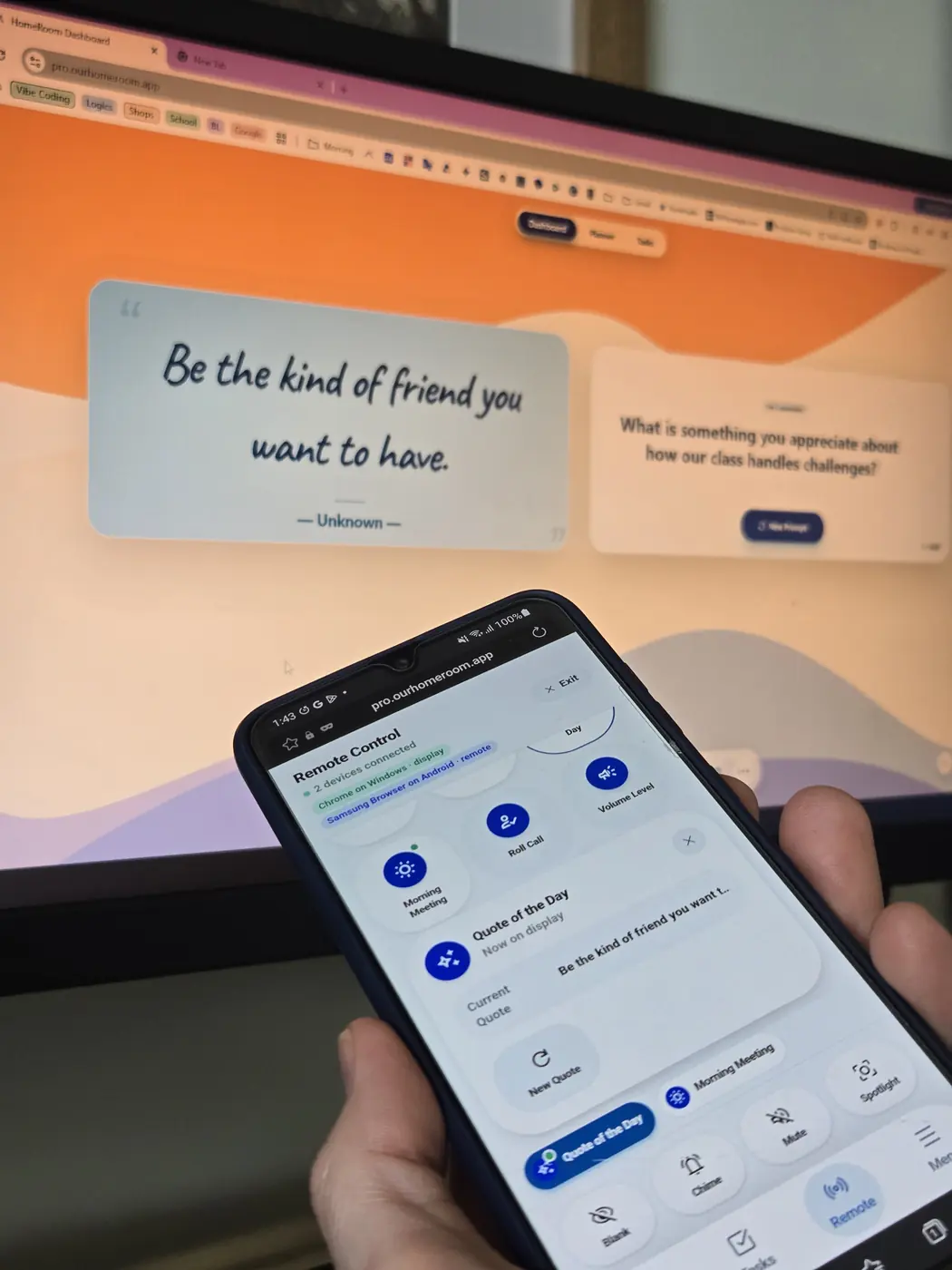
Morning Meeting

400+ prompts

Quote of the Day

400+ ageless quotes

Weather

Live forecast

Sound Board

Focus + party loops

Plus Roll Call · Volume Level · Countdown · Fact Fluency · Website Viewer · Exit Ticket · Calm Corner · Sky Watcher · Progress Tracker · Daily Check-In · On Beat · Calendar and 8 AI-powered tools. Suggest the next widget

JH
Jeff Hennigar
Educator & Developer
A teacher's promise

The standard is different here.

Every design choice in HomeRoom was made in the five minutes between recess duty and math class. No venture board to please. No engagement metrics to game. Just one teacher building the workspace he wanted to use.

I built HomeRoom for my own classroom because I needed a better way to organize my planning and whiteboard display. Turns out, other teachers needed it too.
Halifax, Nova Scotia Teacher-owned Local-first by design
Transparent pricing

No hidden fees.
No "locked" essentials.

One-time, lifetime, or cloud sync. You pick. You own it.

HomeRoom Lite
$0/forever
Try every tool right now. No card, no account.
  • Every widget, try them all
  • Planner and Tasks preview
  • Private to your browser session
  • Resets each session
Start preview
Lifetime Pro
$20/once
Unlock every feature. Save your data locally, forever.
  • All premium widgets
  • Unlimited unit planners
  • Industry-standard local security
  • Google Drive backup included
  • No subscription, no renewal
Get license
★ Best value
Cloud Pro
$20/year
Includes your $20 Lifetime Pro license. Cloud sync is on us in Year 1.
  • Includes Pro Local license for life
  • Encrypted cloud sync
  • Mobile and tablet access
  • Real-time backup across devices
  • AI workflow and planning tools
Get Cloud Pro
Need a license for your whole school?
Contact sales
FAQ

The questions teachers
ask before they buy.

Can I try it before buying?

Yes. The free Lite preview gives you full access to every tool right now. No credit card, no account required. Just open it and start teaching.

What happens to my data if I stop paying?

Nothing bad. Your locally stored data is always yours. Pro Local users keep full access forever. If you cancel Cloud Sync, your data stays on your device and we hold your cloud backup for 90 days so you can export it.

Does my school IT need to approve this?

HomeRoom runs entirely in your browser with no student accounts and no district data flowing through it. Most teachers use it independently without any IT setup.

What if my browser data gets cleared?

Lite users start fresh each session by design. Pro users have their data encrypted in local storage. Clearing your cache would clear it, so we recommend the Google Drive backup. Cloud users can restore everything in one click from their encrypted cloud backup.

Ready when you are

Open HomeRoom. Close the tabs.

Five minutes from now, your dashboard could be set up and your Tuesday could feel completely different.

Start free preview See pricing