HomeRoom Classroom Resources
A Visual Daily Schedule for Elementary Classrooms
There are two different schedules in an elementary classroom. There’s the one I need to teach the day, with reminders and materials and all the little things I’m likely to forget. Then there’s the one students need. It has a much simpler job. When students look up, can they tell what they’re doing and what comes next?
If you’re trying this for the first time, start with the first ten minutes. Put up three steps before the students come in. The board below shows one way to do it. Hang up your coat and keep your shoes tidy, bring your agenda to your desk, then read a book. Use the same words and pictures each morning. Teach the class how to read the board as part of the routine. You can build out the rest of the day once the first few steps make sense on their own.
A schedule you can copy
- Arrival — Hang up your coat, bring your agenda to your desk, and read.
- Morning meeting — Bring your question to the carpet.
- Math — Grab your whiteboard and marker.
- Recess — Put away your materials and get your coat.
- Reading — Pick up where you left off yesterday.
- Lunch — Wash your hands and get your lunch.
- Pack up — Check your space and take your folder.
Make it readable from the back of the room
Pair each label with a simple picture, especially for students who are still learning to read. Try a book for reading and a coat for recess. Leave space between blocks. If the whole day is too much to take in at once, show just Now and Next. A whiteboard and a couple of magnets work just fine.
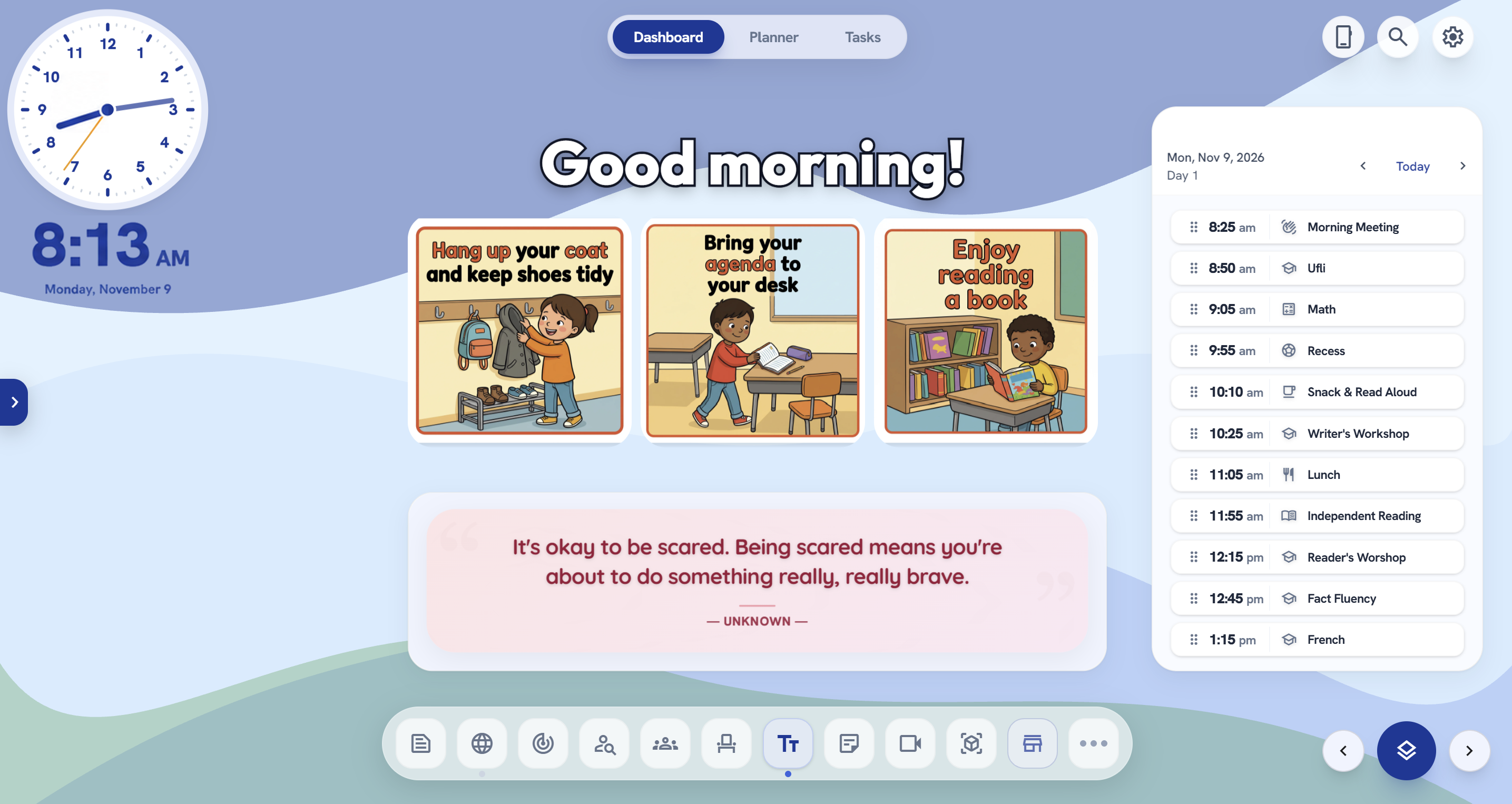
Give changes a place on the board
Let’s say an assembly takes your usual math block. Move the math card, add the assembly, and tell students exactly what to expect. “We’re going to the gym after morning meeting. Bring your water bottle. We’ll do math after recess.” If you don’t yet know when math will happen, you can say that too. The board only needs to answer the part you do know.
I built HomeRoom because I wanted my plans and classroom display in one place. If you’re using it, start with your day in the Planner and put the schedule on the board. You can save a board layout as a scene and bring it back the next morning. I’d keep the first version simple enough that it’s still useful on a morning when you have two minutes to get ready. See the HomeRoom classroom dashboard.